
DesignFlow Build
Construction Field App for iPhone
The DesignFlow Build iPhone app gives field and sales teams what needs them today, one calendar, a hub for each project, quotes that stay inside your approved margin, and the DesignFlow APM assistant, all on the same records as the office.
Available to Pro and Enterprise customers. Your company administrator adds you, then you sign in with your DesignFlow Build email and password.
The app is for companies that run on DesignFlow Build. The iPhone app is coming soon to the App Store, for the Pro and Enterprise plans. There is no sign-up in the app: your company administrator adds you, and you sign in with the same email and password you use on the web. Construction companies get five tabs: Home, Schedule, Projects, Sales and Assistant. Service companies get a service layout with a time clock, work orders, service reports and truck inventory.
Home: what needs you today
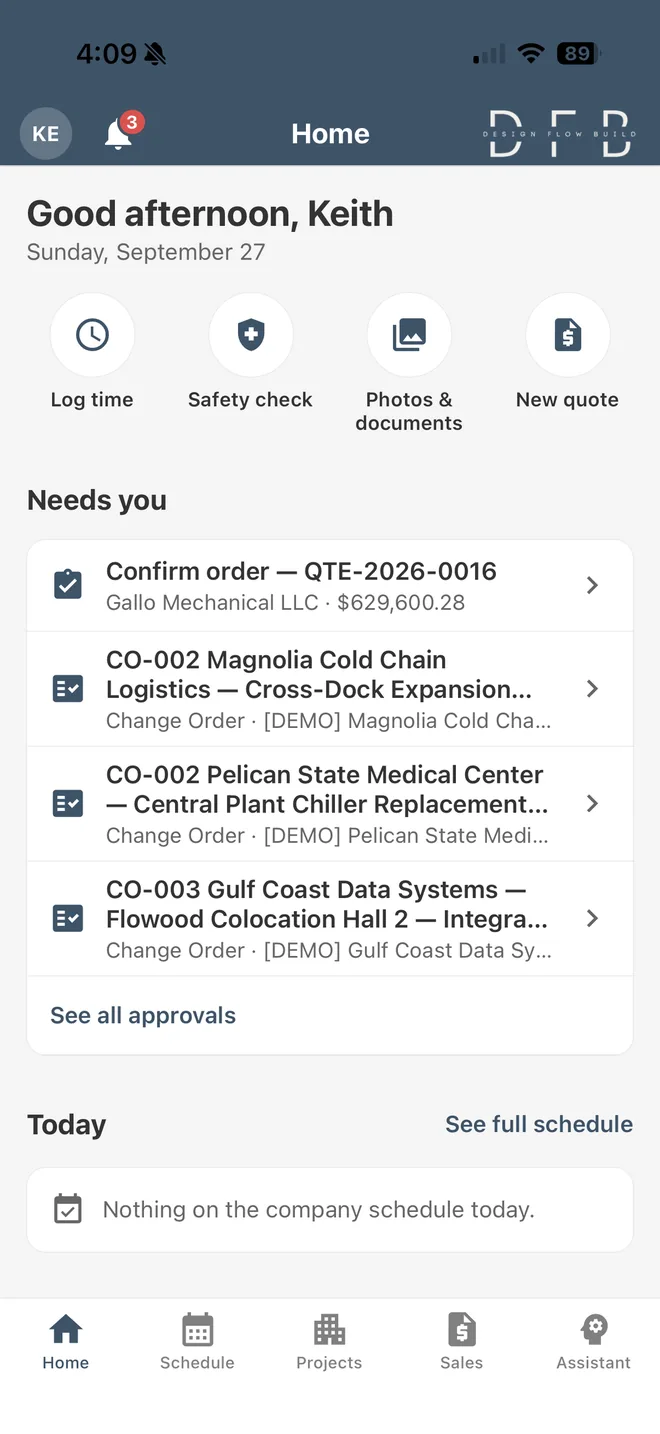
Opens on Needs you: customer orders waiting for confirmation and approvals you can act on. Below it are today’s schedule, your numbers, and quick actions for Log time, Safety check, Photos & documents and, for sales roles, New quote.
Customer orders waiting for confirmation
Approvals you can act on
Today’s schedule and your numbers
Schedule: one calendar
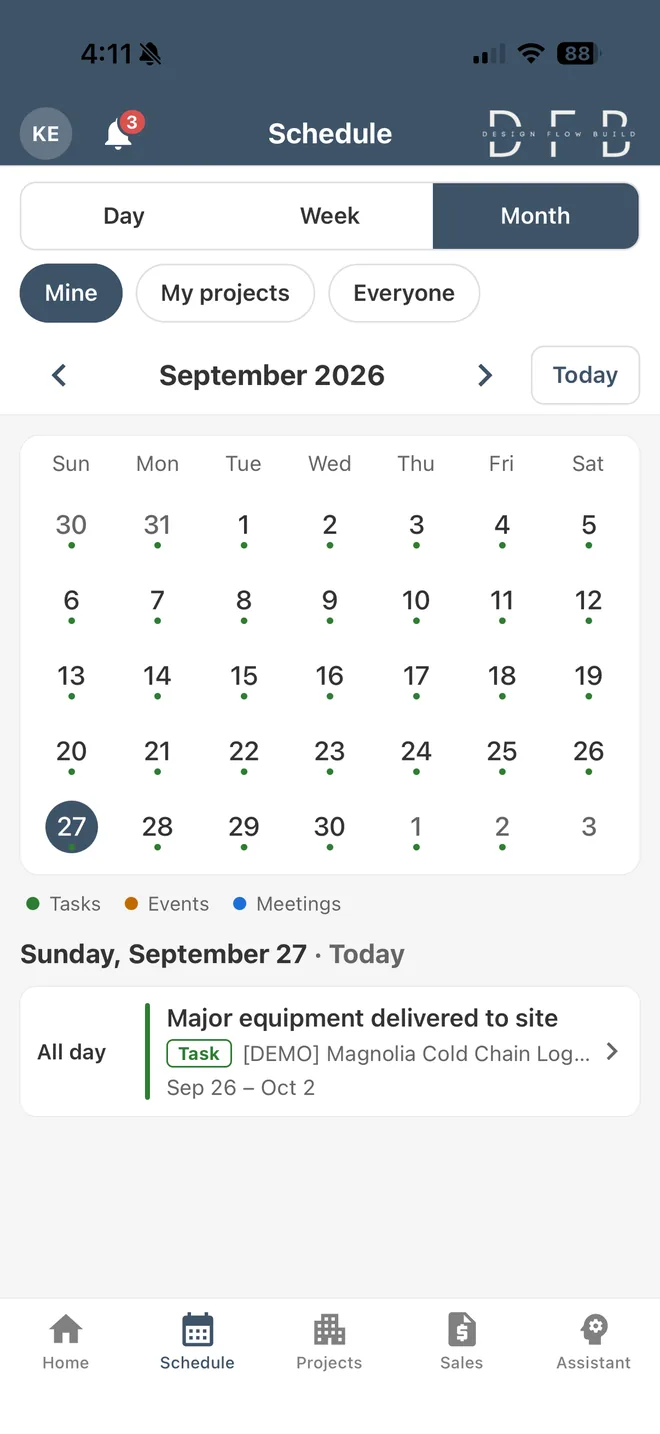
One calendar with Day, Week and Month views. Show your own items, your projects or everyone’s, with tasks, events and meetings together.
Day, Week and Month views
Mine, My projects or Everyone
Tasks, events and meetings together
Projects: a hub for each job
A hub for each project to look up RFIs, submittals, change orders, purchase orders, documents and photos, and milestones. Financial figures appear only for finance and project-management roles.
RFIs and submittals
Change orders and purchase orders
Documents and photos
Milestones
Sales: quotes that hold your margin
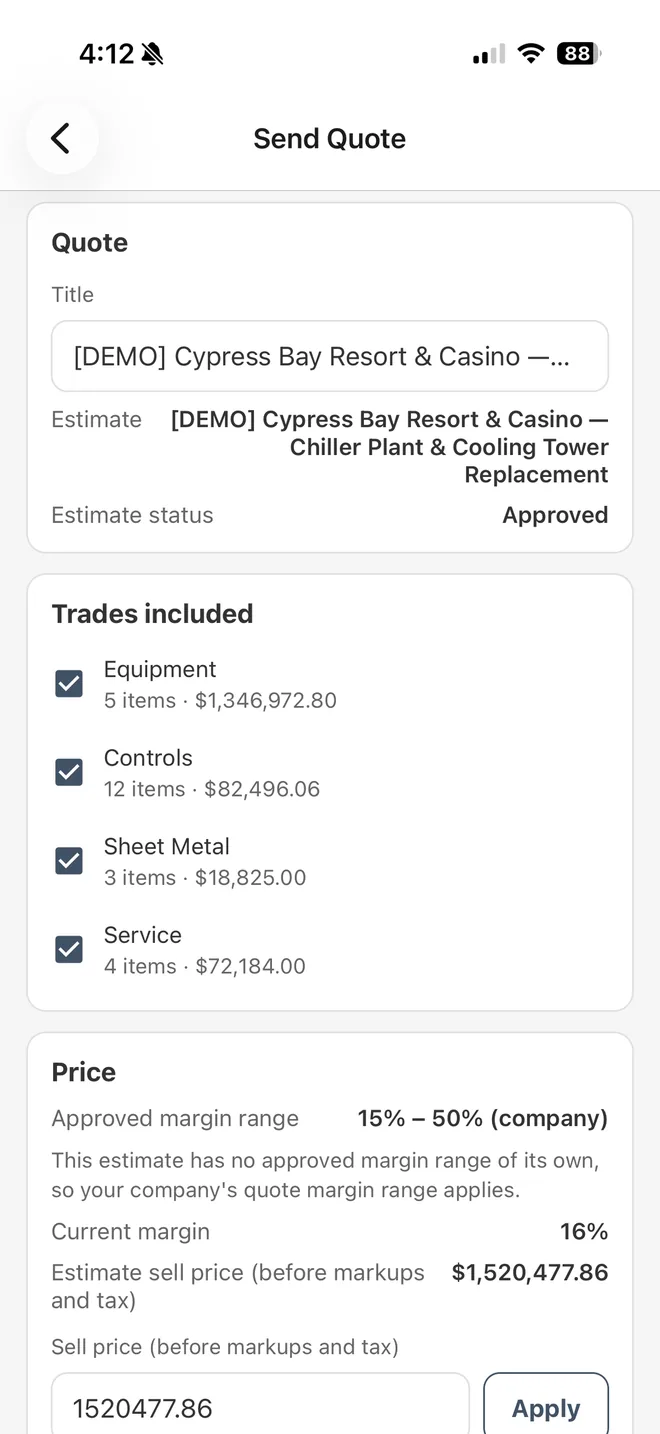
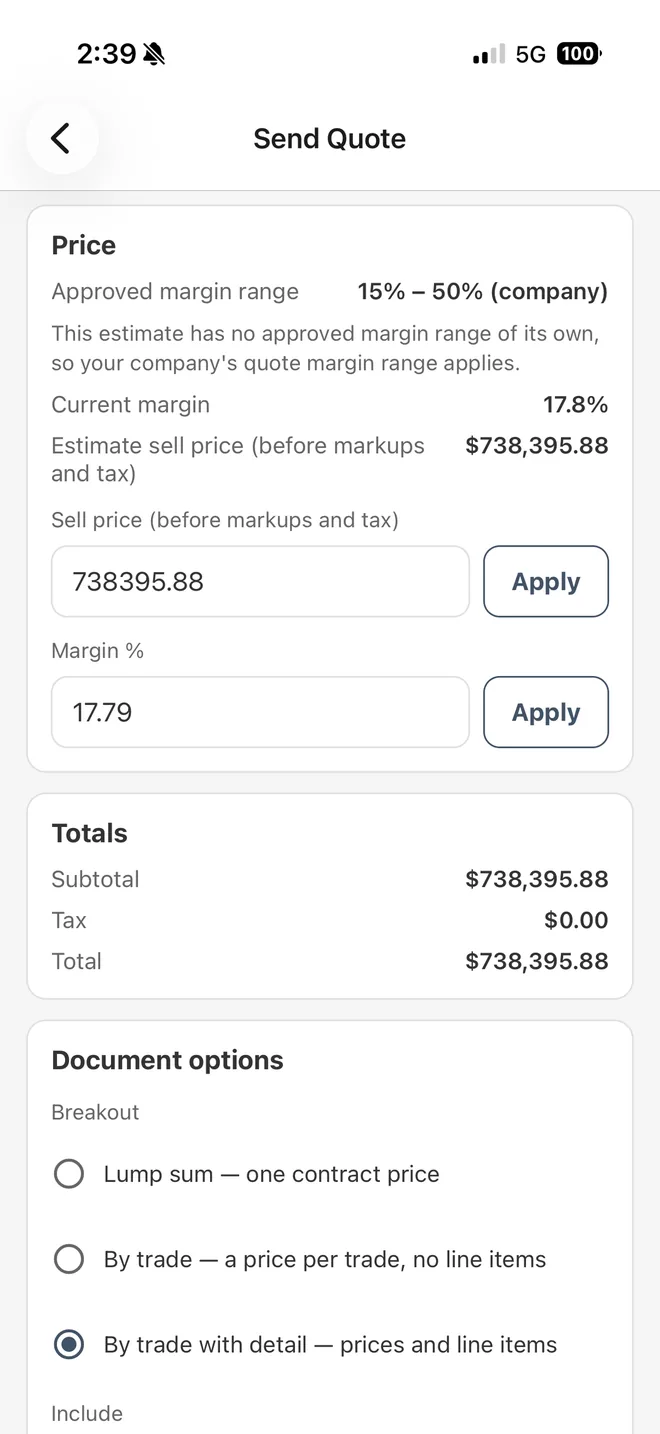
Opportunities and bids. Send a quote from an approved estimate: the price can move only within the approved margin range, the server checks it again before sending, and the customer receives the same quote PDF the web sends. When a customer accepts, confirm the order or request a correction. People without sales access see a Crew tab here instead.
Opportunities and bids
Margin range checked on the phone and again on the server
The same quote PDF as the web
Confirm an accepted order, or request a correction
Assistant: DesignFlow APM
The DesignFlow APM assistant, typed or by voice. Attach a jobsite photo and it reads the text in it. Any change it proposes is shown for you to confirm before anything is saved. Assistant replies and confirmed changes use AI credits.
Type or speak
Attach jobsite photos
You confirm every proposed change
Also in the app
The other screens people in the field reach for during the day.
A notifications inbox with the same notifications you see on the web
Approvals: approve, reject or request changes
Timesheet entry
Daily safety inspection, and open safety incidents
Meeting recordings turned into transcripts, insights and action items (uses AI credits)
Service mode
For service companies with the Service vertical. Your location is recorded when you clock in and out, and appears on your company’s crew map while you are clocked in and the app is open.
Clock in and out
Work orders
Service reports with photos
Field quotes
Truck inventory and restock
Equipment lookup by serial number
When the signal drops
Changes such as time entries, work-order updates and daily safety inspections are saved on the phone and sent when the connection returns. Most screens need a connection.
Frequently asked questions
People at companies on the Pro or Enterprise plan. There is no sign-up in the app: your company administrator adds you, and you sign in with the same email and password you use on the web. The iPhone app is coming soon to the App Store, for the Pro and Enterprise plans. Field seats ($25 per user per month) are coming with the mobile app.
Changes such as time entries, work-order updates and daily safety inspections are saved on the phone and sent when the connection returns. Most screens need a connection.
No. When the estimate or your company has an approved margin range, the phone keeps the price inside it and the server checks it again before the quote is issued or sent. Without a range, the app does not let you change the estimate’s price.
In the app’s notifications inbox, which shows the same notifications you see on the web.
For the time clock in service mode. Your location is recorded when you clock in and out, and while you are clocked in and the app is open it appears on your company’s crew map. The app does not track your location in the background.
No. It works on the same DesignFlow Build records as the web app, so a quote, an approval or a time entry made on the phone is the same record the office sees.
Put the field and the office on one set of records
The iPhone app is coming soon to the App Store, for the Pro and Enterprise plans. Choose Pro when you sign up to start with a 30-day free trial. Field seats ($25 per user per month) are coming with the mobile app.