
DesignFlow Build
Construction Estimating Software, AI-Accelerated
Turn plans and specs into priced, risk-scored bids in a fraction of the time — with AI takeoff, auto-generated RFPs, and estimates that flow straight into the project.
Estimating is where margin is won or lost, and where teams burn the most hours. DesignFlow Build accelerates the whole cycle: the AI reads plan sets and spec books, performs takeoff, drafts RFPs, and scores bids on risk — and because estimating lives in the same platform as projects and accounting, a won bid becomes a live budget without re-keying anything.
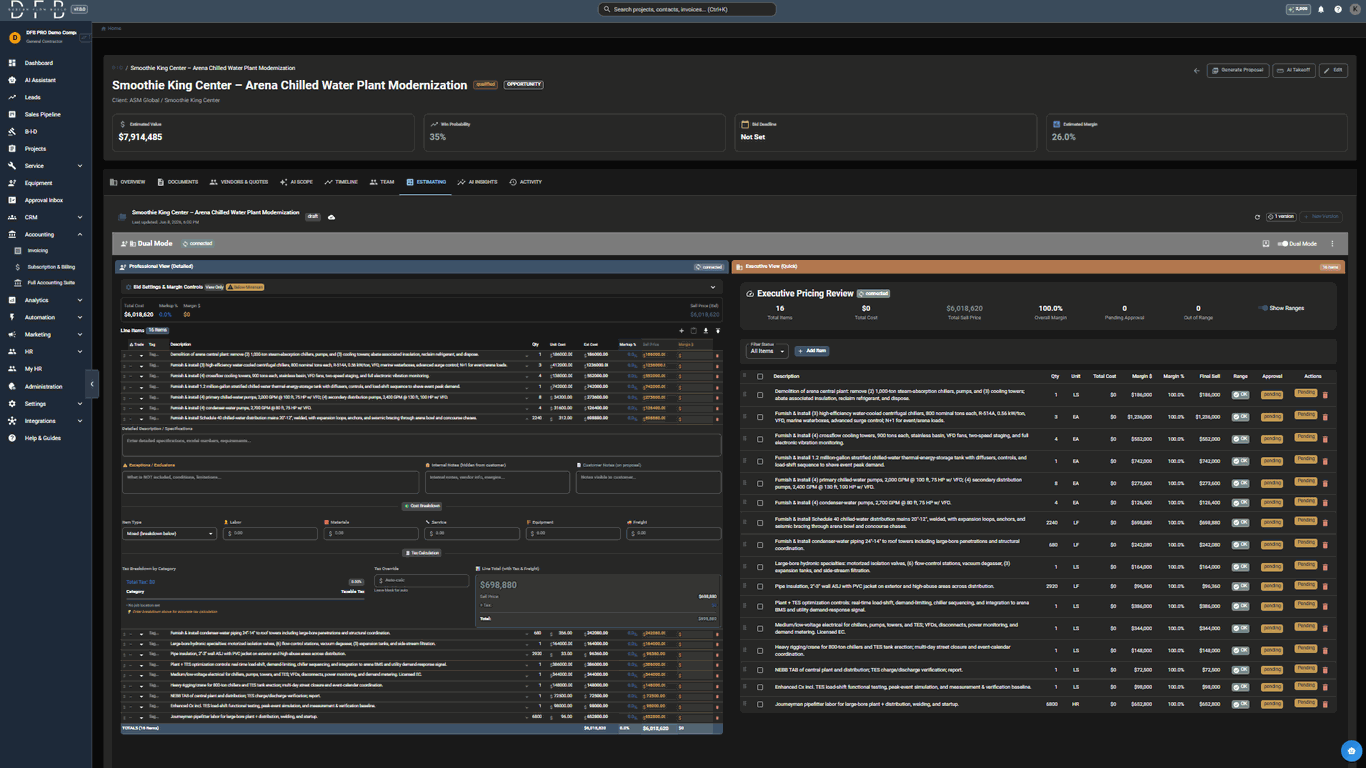
AI takeoff feeds the estimate
Quantities come from the AI blueprint takeoff — symbols, runs, and the schedules counted right off your plans, all read from your own legends — so the estimate starts from real counts, not manual tallies. The takeoff runs in one pass and hands a priced estimate straight to this screen.
Blueprint takeoff with 200+ term MEP vocabulary
Schedules read and counted on the plans, tag by tag
Quantities flow directly into a priced estimate, which the proposal is then built from
Validation warnings flag low-confidence items for review
Spec-book reading and RFPs
The AI processes plans and specifications in minutes and auto-generates RFPs for required materials and scopes, then tracks vendor responses.
200+ page spec books read in minutes
Auto-generated RFPs
Vendor response tracking in one dashboard
Risk-scored bid comparison
Compare bids across multiple dimensions with AI risk scoring, so the lowest number is not mistaken for the best bid.
Multi-dimensional bid comparison
AI risk assessment per bid
Clear, defensible award rationale
From estimate to proposal
The proposal is built from the estimate rather than rebuilt beside it. Formatting lives on the individual line — a highlight, a rule, a page break, a note printed under the row — and stays with that line through revisions and versions, so it never has to be reapplied. A live preview renders the actual document beside the estimate, using the same renderer and data as the copy that will be sent. Summary groups present the work by phase or alternate, each with its own heading and subtotal, and pricing can be shown per item, per group, or as a total only. Companion add-ons — a factory start-up, a commissioning visit, a first service year — are configured once and offered on the lines they apply to; accepting one adds a labor line booked to the business unit that performs the work. Labor taxability is applied per state from each line's own labor, material, equipment, service and freight split rather than a blended rate, with a state's conditional treatment shown rather than averaged away.
Per-line formatting that travels with the line, not with a generated PDF
Live preview of the document that will actually be sent
Group pricing by phase or alternate, with a subtotal per group
Companion add-ons offered on matching lines, booked to the business unit that earns them
Per-state labor taxability derived from each line, not a blended rate, with conditional treatment shown and sourced
Estimate to project, no re-keying
A won estimate becomes a live job budget in the same platform — committed costs, change orders, and billing all reference the original estimate.
Estimate becomes the job budget
Tied to job costing and accounting
Progress billing against the estimate
Frequently asked questions
Yes. Takeoff and estimating are built for mechanical/HVAC, electrical, plumbing, and sheet metal, using trade-aware detection and a 200+ term MEP vocabulary with CSI codes.
The AI reads 200+ page spec books in minutes and auto-generates RFPs, compressing days of takeoff and coordination into a fast, repeatable workflow. Exact savings depend on project size and complexity.
Always. The AI produces quantities and drafts with low-confidence items flagged; estimators review, adjust, and approve before anything is committed.
Yes. Formatting is set on the estimate line itself — highlight, bold or italic, a rule below, a page break before, a short note under the row — and a preview beside the estimate renders the real document with the same renderer and data as the send, so you can check it before anything goes out. The preview works whichever renderer your company is on; the per-line formatting itself prints through PDF templates, which an administrator switches on for the company.
It separates each line into labor, material, equipment, service and freight and applies the state's rule to each part rather than a single blended rate, skipping lines marked non-taxable, so the panel and the per-line figures work from the same taxable base. Where a state taxes construction labor only in particular circumstances, the estimate shows that condition and its source beside the number. Treat it as a starting point for the estimator, not tax advice — confirm the treatment for the jurisdiction and the property type before relying on a figure.
Bid faster, with fewer surprises
Start free and go live in 2-4 weeks — no rip-and-replace, no army of consultants.